
Apple never built the Vision Pro for this, and it shows in the setup. None of the sites in our catalog points you to a visionOS app of its own, and the browser route starts with a trip into Safari's feature flags. What the headset does have is a micro-OLED screen and HEVC playback, and BaDoinkVR says it has yet to find an HEVC file the headset cannot play.
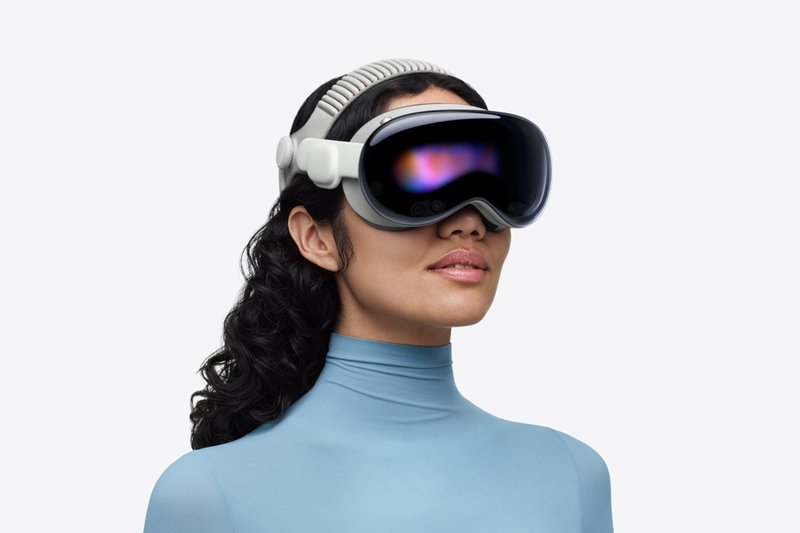
Of the 37 VR sites we review, 12 publish instructions for the Vision Pro. They don't agree on how to watch. Some send you to Safari, some to an app, and a few tell you outright that streaming is the weak option and you should download the file instead. This page lines those instructions up side by side.
Everything below comes from each site's own help, FAQ or device page and from the App Store listings, read and checked on 27 September 2026. We did not run these scenes on a Vision Pro of our own, so where a site states a ceiling, you are reading the site's claim, with the page named.
Best VR porn sites for Apple Vision Pro
Ordered by how completely a site's own instructions cover the headset: a dedicated page, a named player and a stated resolution count for more than one line in a general FAQ. Our overall score breaks ties and sits on each card. How we score is explained in how we rate VR porn sites.
The only site in our catalog that makes files specifically for this headset. Virtual Real Porn keeps a dedicated Vision Pro support page and says it provides 8K MV-HEVC downloads for all compatible scenes, MV-HEVC being the stereo format the Vision Pro plays natively. Scene pages list the file separately, for example an "Apple Vision Pro 8K" download at 7.44 GB. The site recommends Skybox as the player. There is even an Apple Vision Pro porn section on the site itself, so you can browse what has been encoded.
Pick this one if you would rather stream inside an app than manage files. SexLikeReal's help center names DeoVR on visionOS as the recommended way in and Safari as the fallback, with DeoVR still marked beta. Through DeoVR you get passthrough and AI passthrough on the headset, plus Wi-Fi interactive toys: The Handy, Handy 2, Handy 2 Pro, Autoblow AI Ultra and Autoblow VacuGlide 2. Bluetooth toys are listed as planned. No resolution ceiling is stated on the help page. Downloads are also capped, and the plan card and the FAQ put the limit differently: 150 a month against 35 every 7 days.
The most candid help page of the twelve. BaDoinkVR tells you to download a 4K to 8K file and play it in Moon Player, locally or off a NAS, with Reality Player as the alternative. It does include a Safari guide, then says it doesn't recommend it, calling Safari "a limited player with limited quality and functionality." I like a help page that ranks its own options. The page still describes the first, M2 model.
A dedicated device page with three routes: install PLAY'A and add vrbangers.com as a website, stream in the browser, or download the file and play it locally. Stated maximum is 7680x3840 at 60fps, 180 degree stereo. The same page lists "limitations with 8K video streaming playback" as a con, which is honest. Downloads are capped at 10 a day. Sister site VR Conk uses the identical page and the same cap.
The browser route with the highest stated ceiling. RealJamVR's how-to page has a Vision Pro section: enable WebXR in Safari, set the headset up for immersive viewing, open the site. It gives the maximum expected spec as 7680x3840 at 60fps, 180 degree stereo. Nearly every scene carries a script for interactive toys, and the older half of the archive tops out at 4K or 5K, so sort by newest.
The instructions here sit in a blog post dated 31 March 2025, with no help page behind them. The route is Safari with the WebXR flags switched on, and POVR says plainly that this streams up to 4K. For 8K the same post points you to the PLAY'A app, and it also lists Skybox and Moon Player as players. A POVR app for visionOS is not something we could confirm.
No dedicated page, just a line in the homepage FAQ, but a useful one: the site supports "Apple Vision Pro's built-in player for browser-based streaming" and offers MP4 downloads for an offline player. Scenes are 8K 180 degree at 60fps, with files in 4K, 6K and 8K, so you can pick a smaller file if you are sending it over Wi-Fi. Streaming and downloads are unlimited on every plan.
Every site with official Vision Pro support, side by side
Twelve sites, each with the route it names and the ceiling it states, exactly as its own page puts it. "Not stated" means the site gives no number for the Vision Pro.
| Site | How to watch, per the site | Stated ceiling | Where it says so | Visit site |
|---|---|---|---|---|
 SexLikeReal SexLikeReal |  DeoVRSafariDeoVR app (recommended, beta) or Safari DeoVRSafariDeoVR app (recommended, beta) or Safari | Not stated | Help center article | Visit |
 POVR POVR | Safari PLAY'ASafari with WebXR flags; PLAY'A app for 8K PLAY'ASafari with WebXR flags; PLAY'A app for 8K | 4K in Safari, 8K in PLAY'A | Blog guide, March 2025 | Visit |
 VR Bangers VR Bangers | PLAY'ABrowserDownloadPLAY'A app, browser, or download | 7680x3840 at 60fps; 8K streaming limited | Dedicated device page | Visit |
 Virtual Real Porn Virtual Real Porn | Download SKYBOXDownload MV-HEVC file, play in Skybox or another player SKYBOXDownload MV-HEVC file, play in Skybox or another player | 8K MV-HEVC downloads | Dedicated support page | Visit |
 RealJamVR RealJamVR | SafariSafari with WebXR | 7680x3840 at 60fps expected | How-to-watch page | Visit |
 BaDoinkVR BaDoinkVR | DownloadSafari, not advisedDownload, play in Moon Player or Reality Player; Safari not recommended | 4K to 8K, HEVC | Dedicated help page | Visit |
 Virtual Taboo Virtual Taboo | SafariDownloadSafari with four WebXR flags, or download and play in any VR player | Not stated | How-to-watch page | Visit |
 Fuck Pass VR Fuck Pass VR | BrowserDownloadBrowser streaming in the built-in player, or MP4 download | 8K at 60fps; files in 4K, 6K, 8K | Homepage FAQ | Visit |
 VRPorn.com VRPorn.com | SafariPLAY'ASafari with WebXR flags, or PLAY'A | 4K in Safari | Blog guide, updated May 2024 | Visit |
 VR Conk VR Conk | SafariPLAY'ADownloadSafari with WebXR flags, PLAY'A app, or download | 7680x3840 at 60fps; 8K streaming limited | Dedicated device page | Visit |
 PornCornVR PornCornVR | SafariSafari with WebXR | 7680x3840 at 60fps expected | How-to-watch page | Visit |
 Dezyred Dezyred | PLAY'AControllerPLAY'A app plus an Xbox or PlayStation controller | Not stated | Dedicated help page | Visit |
Dezyred is the odd one out. It sells interactive VR games, which is why it asks for a controller. Fap House VR puts an Apple Vision Pro heading on its how-to-watch page, but the text under it loads dynamically and came back empty both times we fetched it, so we can't tell you which route it uses. The other 24 sites we review, Czech VR Network and WankzVR among them, publish no Vision Pro instructions on the help pages we checked. A scene there may still play in Safari or a player; the site just doesn't say so.
For how these catalogs compare on 8K once the headset question is settled, the counts are on our 8K VR porn page.
How to watch VR porn on Apple Vision Pro
Three routes, and the sites split between them. Streaming in Safari is the fastest to set up. An app like DeoVR or PLAY'A puts the site inside a player. Downloading a file and playing it in a paid player is the route BaDoinkVR and Virtual Real Porn push.
Route 1: stream in Safari (WebXR)
Immersive WebXR sessions came to the Vision Pro with Safari 18 in visionOS 2, per WebKit's WWDC24 announcement. The site instructions all start the same way:
- Open Settings, then Apps, Safari, Advanced, Feature Flags.
- Turn on WebXR Device API, WebXR Augmented Reality Module, WebXR Hand Inputs Module and WebXR Gamepads Module. This is the list from VR Conk's page; Virtual Taboo also asks for four flags.
- Open the site in Safari, log in, start a scene and enter immersive mode.
The site instructions say the flags have to be switched on by hand. Apple doesn't say whether current visionOS ships them on, so if you find them already enabled, skip step 2.
If the picture looks soft, check the ceiling first. VRPorn.com and POVR both put Safari at 4K max, and BaDoinkVR doesn't recommend it at all. RealJamVR and PornCornVR are the exceptions: both give 7680x3840 at 60fps as the expected maximum in the browser.
Route 2: an app (DeoVR or PLAY'A)
Two free apps on the visionOS App Store do the site side of the job.
- DeoVR is the one SexLikeReal recommends. It streams 8K and 4K VR, plays local files and your DeoVR Drive library, and has a browser built in. It also does passthrough. There is an optional $14.99 monthly premium in the app. Recent App Store reviews complain about menus popping up mid-scene and no option to hide your hands.
- PLAY'A is the route for VR Bangers, VR Conk and Dezyred: tap "+ Add Website", type the site's address, log in. POVR and VRPorn.com name it as well. The catch is in the developer's own reply on the App Store listing: resolutions above 4K depend on the site using the PLAY'A API, because Vision Pro content needs extra metadata. The US listing sits at a 2.0 rating from 56 reviews.
The DeoVR route on other headsets, and which sites sign in through it, is covered on our DeoVR porn sites page.
Route 3: download the file, play it in a player
BaDoinkVR, Virtual Real Porn and Virtual Taboo all describe this route. BaDoinkVR calls Safari limited in quality, and VR Bangers lists 8K streaming as a limitation, so for the top resolutions this is where the sites send you.
- On your computer, download the scene at the highest resolution the site offers. On Virtual Real Porn, pick the Apple Vision Pro file.
- Get it to the headset through the player. Moon Player and Reality Player read SMB and DLNA shares, so a shared folder on your computer or a NAS works. Reality Player also reads iCloud Drive and other cloud storage. SKYBOX has a free PC client.
- Open the file in the player and set the format by hand if it isn't detected. The sites above describe their scenes as 180 degree stereo.
Mind the download caps: 10 a day on VR Bangers and VR Conk, 20 a day on VRPorn.com. Fuck Pass VR allows unlimited downloads on every plan.
What MV-HEVC changes
MV-HEVC is multi-view HEVC, the stereo video format Apple lists on the Vision Pro spec sheet next to HEVC, H.264 and AV1. Virtual Real Porn is the one site in our catalog that encodes scenes into it, at 8K. You don't need it to watch: BaDoinkVR plays ordinary side by side HEVC files and says it has not met one the headset can't handle. If you do grab MV-HEVC files, Reality Player lists MV-HEVC among its supported codecs.
visionOS players and what they cost
US App Store prices, checked 27 September 2026. All five run on Apple Vision.
 Moon Player$8.99
- Plays
- 2D, 3D, 180, 360, 4K to 12K
- Gets files from
- Local files, PC, NAS, MoonLink, SMB, DLNA, WebDAV
- Named by
- BaDoinkVR, POVR
 Reality Player$8.99
- Plays
- VR180 and 360 in SBS or OU, spatial video, H.264, HEVC, MV-HEVC, up to 8K
- Gets files from
- Local files, DLNA, SMB, iCloud Drive, cloud storage, custom URLs, HLS
- Named by
- BaDoinkVR
SKYBOX$9.99- Plays
- 2D, 3D SBS and top-bottom, VR180, 360, fisheye 200 and 220
- Gets files from
- Local files, UPnP and DLNA, SMB, free SKYBOX PC client
- Named by
- Virtual Real Porn, POVR
DeoVRFree- Price
- Free, optional $14.99 monthly premium
- Plays
- 8K and 4K, VR180, 360, mono and stereo
- Gets files from
- Streaming, local files, DeoVR Drive, built-in browser
- Named by
- SexLikeReal
PLAY'AFree- Plays
- 2D, 3D, flat, fisheye, 180, 360, up to 8K
- Gets files from
- Partner sites added in the app, local files
- Named by
- VR Bangers, VR Conk, Dezyred, POVR, VRPorn.com
If you only buy one: BaDoinkVR's page is built around Moon Player, SKYBOX is the one Virtual Real Porn recommends, and Reality Player names MV-HEVC in its listing. For streaming, DeoVR and PLAY'A cost nothing to try.
Is the Vision Pro worth it for VR porn?
The current model is the Apple Vision Pro with the M5 chip. It launched on 22 October 2025 from $3,499, and on 27 September 2026 the US Apple Store lists it at $3,699 for 256GB, $3,899 for 512GB and $4,199 for 1TB.
What you pay for is the screen: micro-OLED, 23 million pixels in total, a 7.5 micron pixel pitch and 92% of DCI-P3. Apple publishes neither the resolution per eye nor the field of view. The 3660x3200 per eye figure you'll see on BaDoinkVR and VR Bangers comes from those sites; Apple doesn't confirm it. Refresh runs at 90, 96, 100 or 120Hz, battery is rated at up to 3 hours of video playback, and the headset weighs 750 to 800 g.
What holds it back is support. Only 12 of 37 catalogs we review write instructions for it, two of the four sites that give a Safari number put it at 4K, and the sites that care most about picture send you to a download and a paid player. If you already own one, downloaded 8K is how the sites' own instructions get the most out of it. If you are buying a headset for VR porn, compare the field first in best VR headset for porn, and see how the same sites run on a Quest in our Meta Quest guide. General setup for every headset is in how to watch VR porn.
FAQ
Can you watch VR porn on Apple Vision Pro?
Yes. 12 of the 37 VR sites we review publish Vision Pro instructions, through Safari, through an app (DeoVR or PLAY'A), or by downloading the file and playing it in a player like Moon Player or SKYBOX.
Which VR porn site works best on Vision Pro?
Virtual Real Porn is the only one that encodes 8K MV-HEVC files for the headset. If you would rather stream through an app, SexLikeReal recommends DeoVR on visionOS and adds passthrough and Wi-Fi toy support there.
Does Safari play VR porn on Vision Pro?
Yes, through WebXR. Site instructions tell you to switch on the WebXR feature flags under Settings, Apps, Safari, Advanced. VRPorn.com and POVR cap Safari streaming at 4K, while RealJamVR and PornCornVR state 7680x3840.
What is the best VR video player for Vision Pro?
For downloaded files, Moon Player ($8.99), Reality Player ($8.99) or SKYBOX ($9.99). BaDoinkVR builds its guide around Moon Player, Virtual Real Porn recommends SKYBOX. DeoVR is free and the one SexLikeReal points to for streaming.
Can Vision Pro play 8K VR porn?
As a downloaded file, yes by the sites' own instructions: Virtual Real Porn ships 8K MV-HEVC and BaDoinkVR offers 4K to 8K HEVC. Streaming 8K is less certain: VR Bangers and VR Conk list 8K streaming limitations, and Safari tops out at 4K on POVR and VRPorn.com.
Is there a SexLikeReal app for Apple Vision Pro?
SexLikeReal's help center names DeoVR and Safari as the ways to watch on Vision Pro, with DeoVR recommended and still in beta. It does not point to an app of its own.